EU Cloud Servers from €15/mo
KVM cloud servers with dedicated vCPU and NVMe in Tier III data centres in Prague and Covilha. Online in ~10 minutes.
- Up to 96 dedicated vCPU
- Up to 256 GB RAM
- Unlimited traffic, 1 Gbit/s
- Prague or Covilha
- Monthly billing, no contract
- 24/7 engineers, ~10 min reply
- Tier III Certified
- ISO 9001
- ISO/IEC 27001
- ISO 14001
- GDPR Compliant
Popular plans
- Since 2007storing data in the EU
- ~10 minserver online after payment
- ~10 minaverage support reply, 24/7
- 99.982%Tier III facility SLA
Our affordable prices
Dedicated CPUs only, no shared resources, no overselling, no traffic limits, no surprises.
Not in the table? Build your own
= "Medium" planUbuntu 24.04 LTS,Prague,1 IPv4
Why choose us
Pay per resource
KVM virtual machine with dedicated vCPU, NVMe storage and full root. You pay only for the resources you choose.
Expert support 24/7
Engineers reply in about 10 minutes, day and night - no tiered helpdesk.
Resize anytime
Change CPU and RAM online from your panel as the workload changes, up or down, no reinstall. Disks grow but never shrink.
Online in 10 minutes
Pick an OS template or boot your own ISO. The server is online minutes after payment.
Never oversold
No shared cores and no noisy neighbours. Storage cluster with Intel Optane cache.
EU, Tier III
Prague and Covilha, GDPR compliant, storing data in the EU since 2007.
Every operating system you actually need
Linux
- Ubuntu 26.04 LTS
- Ubuntu 24.04 LTS
- Ubuntu 22.04 LTS
- Debian 13
- Debian 12
- AlmaLinux 10
- AlmaLinux 9
- Rocky Linux 10
- Rocky Linux 9
Windows Server
- Windows Server 2025
- Windows Server 2022
- Windows Server 2019
BSD
- FreeBSD 14.0
- OpenBSD
- pfSense
Network & virtualization
- Proxmox VE
- VyOS
- Mikrotik CHR
- VMware ESXi
Not on the list? Boot your own ISO - every server can boot any operating system from your own ISO over HTTPS.
What you get with a DCXV cloud server
What is included in every plan
Dedicated vCPU cores, NVMe storage, one static IPv4, unlimited traffic up to 1 Gbit/s, one weekly backup, full root access and a KVM console. No setup fee.
Prague or Covilha, and why the hardware differs
Prague runs Xeon E5 2.2-3.6 GHz and Xeon Gold 3.6-4.4 GHz; Covilha runs Xeon Platinum 2.4-3.9 GHz. Both are Tier III, inside the EU and GDPR compliant.
What a cloud server costs and what moves the number
Price depends on vCPU, RAM and disk. Extra backups and administration are optional add-ons. The calculator above shows the exact monthly price.
When to move up to a dedicated server
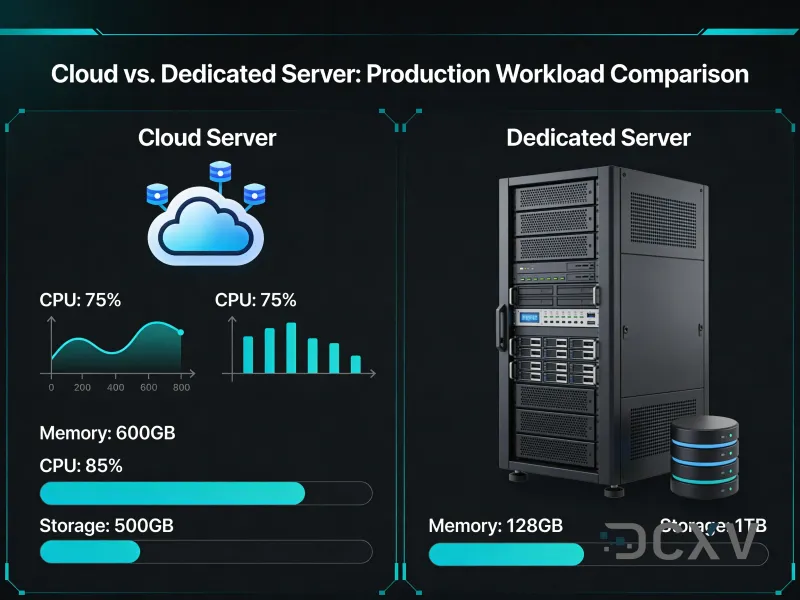
If you need a whole physical machine, custom hardware or no neighbours at all - dedicated servers start from €210/mo and are provisioned within 24 hours.
Getting started and moving an existing server in
Pick a plan, deploy in ~10 minutes, then migrate. Our engineers can help with the move - write to support 24/7.
FAQ
Frequently asked questions
What is included in the price?
Dedicated vCPU, NVMe storage, one static IPv4, unlimited traffic up to 1 Gbit/s, one weekly backup, full root access and a KVM console. No setup fee and no hidden charges
What does billing look like?
Monthly billing with no long-term contract. Pay by Visa, Mastercard, Stripe or PayPal. Longer-term pricing is available on request at sales@dcxv.com
Can I upgrade / downgrade the selected plan?
Yes. Change CPU and RAM up or down online from your personal panel with no reinstall. The disk can be grown at any time, but it cannot be shrunk
How long does it take for my cloud server to be set up?
Cloud servers deploy in under 10 minutes via the client cabinet at my.dcxv.com
Do you provide SSH / RDP access? What about KVM recovery console?
Full root access over SSH or RDP depending on the OS, plus a KVM console available at any time
If you require assistance or have additional questions, please contact the managers or write to the support team at support@dcxv.com