License will be installed by admin within 3 days
€ 21.89 / per month


Tell us how many people need access. We size the server, install Windows and the RDS licences, and your accountants connect from wherever they are.
Count everyone who will need to open the program. You can add more people later.
License will be installed by admin within 3 days
Windows Server and the RDS user licences are included in the price you see below. Your BAS licence is not - bring the one you have or get it from your integrator.
Deployed in our Prague data centre - Prague, Czech Republic
Pick the number of people. We size the processor, memory and disk to match.
The server deploys in under 10 minutes. Windows and your RDS licences are installed by an engineer within three days.
You connect over remote desktop from any device and install BAS yourself or with your integrator.
A ready Windows server for BAS Bukhhalteriia and BAS ERP, with room for M.E.Doc and Art-Zvit beside them, in a Tier III data centre in the EU. You say how many people need access; we size the machine, install Windows and the RDS licences, and your accountants connect by remote desktop.
BAS is the package most Ukrainian companies keep their books in today, and for a lot of them it still runs on a single machine in the office. That ties the whole finance function to one building, one disk and one power feed - and the backup is usually on a drive in the same room. A rented server in an EU data centre removes that, without changing the BAS client anybody works in.
Reporting is what makes uptime non-negotiable here. M.E.Doc and Art-Zvit sit next to the ledger on the same machine, and a filing deadline does not move because a disk failed. Redundant power and cooling, a 99.982% facility SLA, a backup in every plan and two-click snapshot rollback come with the service rather than being projects somebody has to own.
Seats are the only thing you size. BAS Bukhhalteriia and BAS ERP, the e-reporting tools, a client-bank terminal, the shared document archive and - if you have not retired it yet - 1C 8.3 alongside them, all on one private network. When the team grows you add people and memory in minutes instead of buying hardware.
A small accounting team, or one bookkeeper plus a director who reviews the figures. Comfortable for daily work in BAS including month-end close, and the size most single-company setups start on.
A finance department, or an outsourcer keeping books for several clients. Around this point a file base starts to show lock waits when several people post at once, so it is usually where moving BAS to PostgreSQL on the same server pays off.
A group of companies or a shared service centre - one session host, one backup schedule, one place to patch. Beyond this we would normally discuss splitting across two servers or moving to dedicated hardware in the same Prague facility.
| Tucha TuchaFlex+ | DCXV | |
|---|---|---|
| Price per month | EUR 159.50 | EUR 45.78 |
| Processor and memory | 5 CPU, 12 GB | 4 CPU, 16 GB |
| Disk | 120 GB | 128 GB NVMe, plus one backup |
| Where the server runs | Slovakia | Prague, Czech Republic |
| Windows and RDS licences | Not included | Windows plus 10 RDS users, in the price |
| Who you contract with | A Ukrainian company | A Cyprus company, under EU law |
| Minimum term | Monthly | Monthly, no setup fee |
Checked on the providers public price pages in September 2026; prices move, so check them again before you decide. A third provider was compared here until its dedicated accounting plan was withdrawn - it is now marked as an archived tariff and cannot be ordered, so we removed the column instead of leaving a price nobody can buy. One thing the totals do not show: Tucha and integrators like FinSoft also implement and support the accounting software itself, which we do not - we sell the infrastructure it runs on, and your integrator stays your integrator. If you want one company to do both, that is a fair reason to pay more.
The whole ledger lives on one machine in the office, and the team is increasingly not in that office.
Every client base has to stay separate, backed up, and available on the day a report is due.
Nobody on staff patches Windows or checks that the backup ran, and a filing deadline is a bad time to find out.
User count, the list of applications and the current size of the base. We come back with a configuration and a price.
Cloud instances deploy in under 10 minutes. Windows and any licences you bought are installed within three days.
You or your integrator restore the dump and repoint the clients. Your old server keeps running until you confirm the new one is good.
RDP behind a gateway or VPN instead of a published port, backup schedule set, and a snapshot taken before go-live.
We have been running EU infrastructure since 2007, on our own network under AS204057, from Tier III facilities in Prague and Covilha with a 99.982% facility SLA. The company is Cyprus-registered and GDPR-native, which is the part that matters if your clients or your auditor ask where the accounting data physically sits.
You get the infrastructure and the access, with support on shift 24/7/365 and a ~10 minute average first response. What we deliberately do not do is act as your BAS integrator - they know your configuration and your chart of accounts, and handing them a working server beats us guessing.
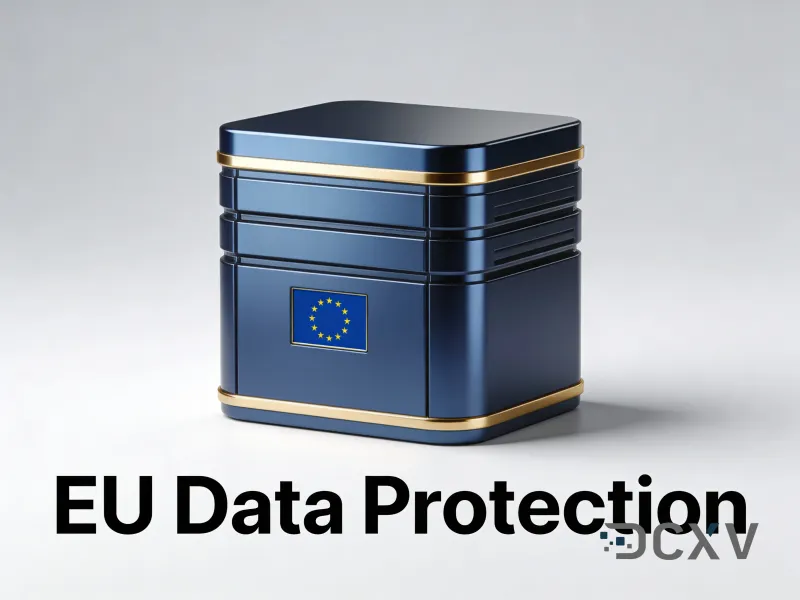
Tier III facilities with redundant power and cooling, a 99.982% facility SLA, a backup included in every plan and two-click snapshot rollback. A tower under a desk has none of that.
Add memory, disk or seats as the team grows. No reinstall, no migration, no new contract.
The same program over remote desktop from the office, from home or from another country, on Windows, macOS, iOS or Android.
No server, no UPS, no cooled room to put them in. One monthly invoice, by card or bank transfer, with no minimum term.
The hardware, the power, the network and the backups are ours. Your IT time goes to the business instead of to a box in the corner.
Engineers on shift around the clock, ~10 minute average first response, over web chat, Telegram and email.
We hand over a working server with access. Tell us what has to come across and we will walk the migration with you.
RDP over a gateway or a WireGuard tunnel, so the session never crosses the internet in the clear.
Frequently asked questions
Yes, and that is the usual setup - the ledger and the e-reporting tools on one Windows server, on one private network, so the data does not have to cross between machines. A client-bank terminal and the shared document archive fit alongside them
Microsoft licenses RDS per named user, not per concurrent session, so count everyone who will ever sign in rather than the peak. Pick that number in the seat selector and the licences are installed by an engineer within three days. You can add people later
No. Windows Server and the RDS user licences are ours to sell and are included in the seat price; the BAS licence is not. Bring the one you have or get it from your integrator, who stays your integrator
A filing deadline does not move because hardware did, which is why the server sits in a Tier III facility with redundant power and cooling behind a 99.982% facility SLA. Every plan includes a backup, snapshots roll back in two clicks, and daily retention of up to 7 days is available
Yes. BAS ERP and BAS KUP run on the same server type and are simply heavier - they want more memory per user than the accounting package does, so size up a tier if the whole company works in it rather than only the finance team
Yes. Both can sit on the same Windows server while you finish retiring the old one, which is what makes a gradual changeover possible instead of a single cutover weekend. If 1C is what you are keeping rather than retiring, the 1C server page is the better fit
If you require assistance or have additional questions, please contact the managers or write to the support team at support@dcxv.com