License will be installed by admin within 3 days
€ 21.89 / per month


If 1C still runs your ledger, the server under it does not have to sit in the office. Same version, same client, moved to a Tier III data centre in the EU.
Count everyone who will need to open the program. You can add more people later.
License will be installed by admin within 3 days
Windows Server and the RDS user licences are included in the price you see below. Your 1C licence is not - bring the one you have or get it from your integrator.
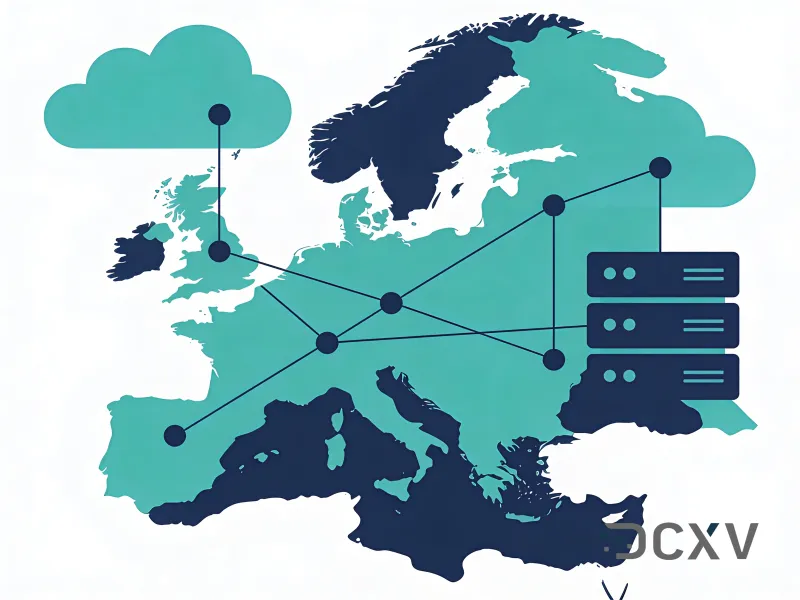
Deployed in our Prague data centre - Prague, Czech Republic
Pick the number of people. We size the processor, memory and disk to match.
The server deploys in under 10 minutes. Windows and your RDS licences are installed by an engineer within three days.
You connect over remote desktop and restore your existing 1C base - your hands on the keyboard, or your integrator.
Most companies on 1C are not planning to change accounting software this quarter - they need the server under it to stop being a risk. That is what this page is for: an existing 1C 8.3 installation, file or client-server, lifted onto a Windows server in a Tier III EU data centre with the version you already run left exactly as it is.
Changing accounting software and changing where it runs are two different projects, and only one of them has to happen now. A 1C base on a tower PC in the office is a single point of failure: one disk, one power feed, one building, and a backup that is usually on a drive in the same room. Moving that base onto a rented server removes the failure without touching the configuration, the version, or the way anybody works.
Legacy versions are the normal case here rather than the exception. 1C 8.3 in file mode, a client-server base on MS SQL, an old exchange rule that only speaks to a Windows service - all of it keeps running, because what changes is the hardware underneath and the route in. Your accountants open the same client over remote desktop instead of the office network.
It also buys time. If you do eventually move to BAS or to something else, you will be migrating from a server that already has redundant power, a backup schedule and snapshots to roll back to - a far better starting point than a machine nobody wants to touch. The infrastructure decision stops blocking the software decision.
One or two accountants plus a director who checks the figures. A file base this size runs comfortably and does not need converting to anything - it is the configuration most long-running 1C setups are already in.
A finance department, or an outsourcer keeping several clients on one host. This is where a file base starts showing lock waits when several people post at once, and where moving to client-server on the same machine is worth costing out - a configuration change rather than a new project.
A group of companies, usually with several bases and years of history inside them. One session host, one backup schedule, one place to patch. Above this we would talk about splitting the load or moving to dedicated hardware in the same Prague facility.
There is no budget or appetite for a software migration this year, but the machine holding the ledger is old and in the wrong place.
Several clients, several 1C versions, and every one of them has to keep working exactly the way it does today.
The move to other software is a year out, and until then the base still has to be backed up, reachable, and not sitting on one disk.
The 1C version, file or client-server, the size of the base and the integrations hanging off it. That list decides the configuration, and it is the part people underestimate.
The instance deploys in under 10 minutes. Windows and any RDS licences you bought are installed by an engineer within three days.
You or your integrator restore the base and repoint the clients while the old server keeps running. Nothing is switched off until you confirm the new one is correct.
Remote desktop behind a gateway rather than a published port, the backup schedule set, and a snapshot taken before anyone starts posting.
We have been running EU infrastructure since 2007, on our own network under AS204057, from Tier III facilities in Prague and Covilha with a 99.982% facility SLA. The company is Cyprus-registered and GDPR-native, which is the part that matters if your clients or your auditor ask where the accounting data physically sits.
What you get from us is the infrastructure and the access, with support on shift 24/7/365 and a ~10 minute average first response. What we deliberately do not do is act as your 1C integrator - they know your configuration, your chart of accounts, and which of your integrations will object to a new address. We would rather hand them a working server than guess.
Tier III facilities with redundant power and cooling, a 99.982% facility SLA, a backup included in every plan and two-click snapshot rollback. A tower under a desk has none of that.
Add memory, disk or seats as the team grows. No reinstall, no migration, no new contract.
The same program over remote desktop from the office, from home or from another country, on Windows, macOS, iOS or Android.
No server, no UPS, no cooled room to put them in. One monthly invoice, by card or bank transfer, with no minimum term.
The hardware, the power, the network and the backups are ours. Your IT time goes to the business instead of to a box in the corner.
Engineers on shift around the clock, ~10 minute average first response, over web chat, Telegram and email.
We hand over a working server with access. Tell us what has to come across and we will walk the migration with you.
RDP over a gateway or a WireGuard tunnel, so the session never crosses the internet in the clear.
Frequently asked questions
Yes. What changes is the hardware underneath and the route in, not the application - the same 1C 8.3 build, the same configuration and the same client, opened over remote desktop instead of the office network. We do not upgrade, convert or reconfigure anything in the base
No, and that is deliberate. We hand over a Windows server with access, and you or your integrator restore the dump and repoint the clients. Your integrator knows your configuration and your chart of accounts; we would be guessing. The old server keeps running until you confirm the new one is correct
Exchange rules, client-bank terminals and scheduled jobs that hardcode a host name or an address need repointing, and that is the part people underestimate. List them while you inventory the base, before the cutover rather than during it
No. We sell the infrastructure, not the accounting software, so we host the version you run today for as long as you run it. If you do move to BAS later, nothing about the server has to change
No. You would be migrating from a server that already has redundant power, a backup schedule and snapshots to roll back to, which is a much better starting point than a machine nobody wants to touch. The infrastructure decision stops blocking the software decision
Yes, and for an outsourcer that is the normal case - several client bases, each on the version that client runs, on one Windows server with one backup schedule. Size by the number of people signing in at the same time rather than by the number of bases
If you require assistance or have additional questions, please contact the managers or write to the support team at support@dcxv.com